
AI Agent Activity and MCP Access
Audit every AI-assisted run in one ledger, and give external AI agents scoped, typed access to PlanMagnet over MCP.
These images are illustrations of the concept, not screenshots of the actual product.
Overview
This concept covers two sides of working with AI in PlanMagnet. The first is visibility: an AI Operations activity page that records each AI-assisted run, such as a work-item breakdown suggestion, with its outcome, model, token use and latency. The second is access: an Agent access over MCP page that lets an external AI agent read and operate PlanMagnet through typed tools, using the Model Context Protocol, under credentials the workspace controls.
The problem it addresses is trust. When AI drafts tickets or an outside agent edits a roadmap, teams need to know what ran, what it cost in tokens, whether it succeeded and who triggered it, and they need a clear, revocable boundary around what an agent is allowed to touch. Without that, AI help becomes a black box that is hard to debug and harder to govern.
The run ledger illustration opens with headline cards for runs, success rate, average latency and tokens over a selectable period, filterable by trigger. A table of agent runs lists time, trigger, capability, provider and model, input and output tokens, latency and a status badge. A run whose response could not be parsed expands to show a prompt summary, the decision taken, the parse error, the actor and a run identifier, while a failed run explains its cause inline. A note states that the design records prompt summaries rather than raw prompt text, and a cost panel shows that cost metering is switched off for this sample organization.
The MCP access illustration summarizes how an agent connects: a local transport by default with HTTP as an opt-in, a named server endpoint, and authentication with a workspace API key scoped to the acting user, plus a copyable start command. A caution banner advises scoping the credentials an agent receives because destructive tools are not confirmation-gated. A filterable catalog groups the available tools by domain, from projects, features and roadmaps to risks and milestones, each marked read/write. Side panels show whether the agent is connected, when it last checked in, and quick actions to manage, scope or revoke keys.
Within the wider product, this concept is the governance layer beneath the AI-assisted features found elsewhere, such as work breakdown, at-risk sweeps and duplicate review, and it sits next to the audit log and API keys in the navigation.
What this concept shows
- Headline cards for run count, success rate, average latency and token volume, with period and trigger filters
- An agent runs table with capability, provider and model, input and output tokens, latency and status badges
- Expandable run detail showing the prompt summary, decision, parse error, actor and run identifier
- Inline failure reasons, such as a model provider that has not been configured
- A design that records prompt summaries instead of raw prompt text, with a cost panel that can be enabled
- An MCP connection summary covering transport, endpoint and actor-scoped workspace API key authentication
- A filterable catalog of read/write tool groups, with warning markers on groups that call for extra care
- Agent status with last heartbeat and quick actions to manage keys, scope credentials and revoke a key
How it works
- Open AI Operations from the navigation to review recent AI-assisted runs and the headline success, latency and token figures.
- Narrow the ledger by date range or trigger to focus on the runs in question.
- Expand a run that failed or could not be parsed to read its prompt summary, error and actor, then fix the cause.
- Go to Integrations and open Agent access over MCP to see how an external agent connects and authenticates.
- Browse or filter the available tool groups to understand what an agent will be able to read and change.
- Use Manage Keys and Scope Credentials to issue a narrowly scoped workspace key, then confirm the agent shows as connected.
- Revoke the key from the same panel when the agent no longer needs access.
Who it's for
- Workspace administrators governing AI use
- Engineering and platform leads connecting AI agents to planning data
- Product and delivery managers who rely on AI-assisted suggestions
- Security and compliance reviewers auditing agent activity
Illustrations
2 illustrations of this concept. Select one to view it full size.
AI Operations Run Ledger
This illustration shows an AI Operations activity page in a dark theme for a sample organization. Four headline cards report runs, success rate, average latency and tokens for the chosen period, with Last 7 days and All triggers filters above them; the figures are invented sample data. A note explains that prompt summaries are recorded while raw prompt text is not stored. The Agent runs table lists each run's time, trigger, capability, provider and model, input and output tokens, latency and status. Most sample rows are manual work-item breakdown runs marked Succeeded, spread across several model providers. One row flagged Parse failed is expanded to show its prompt summary, decision, parse error, a redacted actor and a run identifier, and a Failed row carries an inline note that a provider key is not configured. A Cost panel on the right shows a lock and states that cost metering is not enabled.
Agent Access over MCP
This illustration shows an Agent access over MCP page under Integrations, marked with a Server published badge and described as letting an external AI agent read and operate PlanMagnet through typed tools. A connection card lists the transport (a local default with HTTP as an opt-in), the server endpoint name and authentication by a workspace API key scoped to the actor, above a copyable command for starting the server over HTTP. A caution banner advises scoping the credentials given to an agent because destructive tools are not confirmation-gated. The Available tools panel shows sample counts of domain tools and platform modules, a filter box, and a grid of sixteen read/write tool groups such as Projects, Features, Time tracking, Boards, Roadmaps, Sprints, Work items, Risks and Milestones, with Roadmaps, Custom fields and Risks flagged by warning markers. On the right, an Agent Status card shows a connected agent, its last heartbeat and a Refresh Status button, and Quick Actions offer Manage Keys, Scope Credentials and Revoke Key.
Topics
- AI agent run log
- AI operations activity
- MCP server for project management
- Model Context Protocol agent access
- AI token usage and latency
- scoped API keys for AI agents
- audit AI-assisted work breakdown
- connect AI agent to roadmap and sprints
- revoke agent access
- AI governance for product teams
Related concepts
Task Board and AI Work Breakdown
The board where work moves, the form that adds to it, and an assisted breakdown that turns a paragraph of intent into reviewable work items.
3 illustrations
Sprint Planning and At-Risk Sweeps
Start sprints, review planning sessions across projects, and get a daily sweep that flags at-risk work with a stated reason.
3 illustrations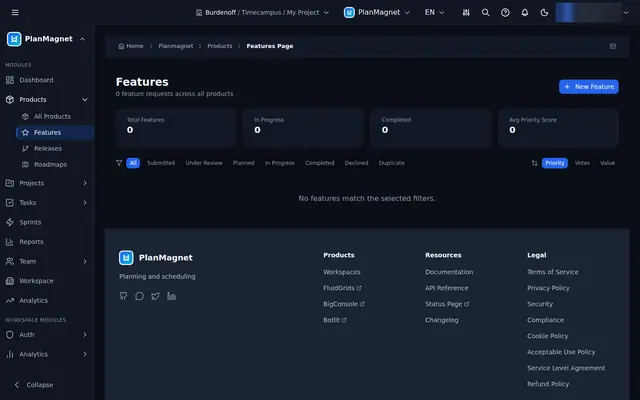
Feature Requests and Duplicate Review
Capture feature requests with business value and effort, then review suggested duplicate clusters before any votes are merged.
3 illustrations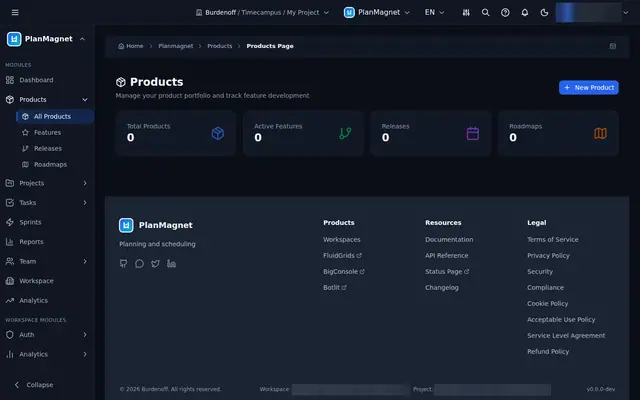
Product Roadmaps and Releases
A product portfolio with roadmaps filtered by type and visibility, and releases tracked from draft through to released.
4 illustrations