
Product Roadmaps and Releases
A product portfolio with roadmaps filtered by type and visibility, and releases tracked from draft through to released.
These images are illustrations of the concept, not screenshots of the actual product.
Overview
Product Roadmaps and Releases covers the planning surfaces of the Products module in the PlanMagnet concept. It brings together a portfolio overview of every product, the roadmaps that describe where each product is heading, a form for defining a new roadmap and a release list that follows each release from draft through to released. All four pages sit under one expandable Products entry in the sidebar, with All Products, Features, Releases and Roadmaps as its sub-pages.
The concept responds to a common split in product teams. The roadmap lives in a slide deck, releases are tracked in a spreadsheet or a separate tracker, and the count of what is actually in flight has to be assembled by hand before every review. Keeping products, roadmaps, feature requests and releases in one module is meant to let a product manager answer what is being built, and when it ships, from a single place.
The illustrations walk through that module in order. The Products overview opens with four summary cards for total products, active features, releases and roadmaps, plus a New Product action. The Roadmaps page counts roadmaps across all products and filters them by type and by public or private visibility. The Create Roadmap form captures a name, a description of goals and scope, a roadmap type such as a timeline and a visibility setting, and describes a roadmap as holding milestones and features. The Releases page groups releases under status tabs that run from draft and planning through in progress, ready and released, with a separate tab for cancelled releases. Each list page is shown in its empty state, as a new workspace would first see it.
Roadmaps and releases connect outward to the rest of PlanMagnet. Feature requests feed the roadmap, projects and sprints carry the work that delivers it, and the visibility setting on each roadmap is designed to let a team decide which plans stay internal and which are shared more widely.
What this concept shows
- A product portfolio overview with summary cards for total products, active features, releases and roadmaps
- One Products area in the sidebar with All Products, Features, Releases and Roadmaps sub-pages
- A roadmap list counted across all products, filterable by type and by public or private visibility
- A Create Roadmap form with a name, goals and scope, a roadmap type and a visibility setting
- A release list organized by status tabs: Draft, Planning, In Progress, Ready, Released and Cancelled
- Clear empty states, with New Product, New Roadmap and New Release actions on each page
How it works
- Open Products to review the portfolio summary and add a product with New Product.
- Switch to Roadmaps to see every roadmap across products and filter by type or visibility.
- Choose New Roadmap, enter a name and a description of goals and scope, pick a type and visibility, and create it.
- Open Releases and start a release with New Release.
- Follow each release through the status tabs, from draft and planning to ready and released.
Who it's for
- Product managers
- Heads of product
- Release managers
- Engineering leads coordinating delivery
Illustrations
4 illustrations of this concept. Select one to view it full size.
Products Portfolio Overview
The Products page opens the product-management area of the PlanMagnet concept. Its heading is paired with a short line about managing the product portfolio and tracking feature development, and a New Product button sits at the top right. Four summary cards run across the page, each with its own icon: total products, active features, releases and roadmaps. In this illustration every count reads zero, the starting state of a new workspace. The sidebar shows the Products entry expanded into All Products, Features, Releases and Roadmaps, with All Products selected, which makes this page the hub for the rest of the module. The breadcrumb, the top bar with its workspace and project context, and the footer are shared with the other pages of the product.
Roadmaps Across Products
The Roadmaps page lists every roadmap across all products, with a count under the heading (zero in this illustration) and a New Roadmap button at the top right. A filter row beneath the heading offers two groups of chips: Type, set to All, and Visibility, with All, Public and Private options. Because nothing has been created yet, the page shows a centered message explaining that no roadmaps match the selected filters. The layout demonstrates how the design separates roadmaps by kind and by audience, so a product manager can narrow the list to the plans that are shared publicly or kept private. Roadmaps is highlighted under Products in the sidebar, next to Features and Releases.
Create Roadmap Form
This illustration shows the form for defining a new roadmap, introduced as a product roadmap with milestones and features. A single Roadmap Details card holds a Name field with an example yearly platform roadmap as placeholder text, a larger Description area that asks for the roadmap's goals and scope, and two dropdowns side by side: Type, set to a timeline, and Visibility, set to Private. Cancel and Create Roadmap buttons sit above the card, with the create button shown in a muted state while the form is still blank. The form is intentionally short, so a roadmap can be started from a few fields and filled with milestones and features afterward. The breadcrumb places the page under Products.
Releases by Status
The Releases page tracks releases across all products, with a running count under the heading and a New Release button at the top right. A tab row organizes the list by lifecycle status: All, Draft, Planning, In Progress, Ready, Released and Cancelled, with All selected. In this illustration the list is empty, and a centered message notes that no releases match the filter. The tabs demonstrate how the concept models a release as moving through defined stages, so a release manager can see at a glance what is still being planned, what is ready to ship and what has already gone out. Releases is highlighted under Products in the sidebar, beside Features and Roadmaps.
Topics
- product roadmap software
- roadmap planning
- public and private roadmaps
- timeline roadmap
- release management
- release tracking by status
- product portfolio management
- product management tool
- release planning
Related concepts
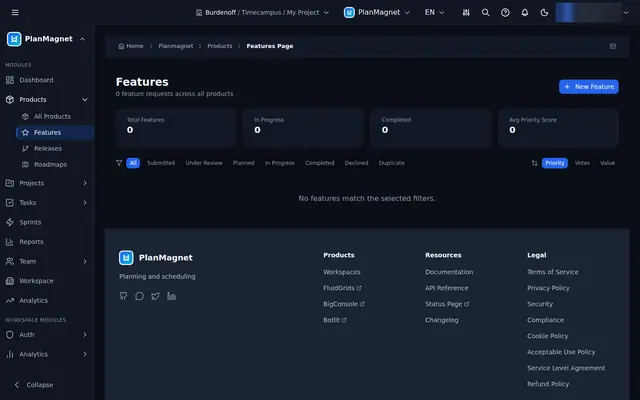
Feature Requests and Duplicate Review
Capture feature requests with business value and effort, then review suggested duplicate clusters before any votes are merged.
3 illustrations
Project Portfolio and Milestones
A portfolio view that runs from every project, to the ones in flight, to the milestones they are judged by — plus a form to start the next.
4 illustrations
Sprint Planning and At-Risk Sweeps
Start sprints, review planning sessions across projects, and get a daily sweep that flags at-risk work with a stated reason.
3 illustrations
Dashboard, Delivery Analytics and Forecasting
One place to open the day: a delivery dashboard, project health metrics, and an AI-assisted forecast of when work lands.
3 illustrations